


Previous
TemplatesNext
Access ControlFind documents quickly with search and filter options.
The search bar at the top of the file tree provides instant filtering:
/ to focus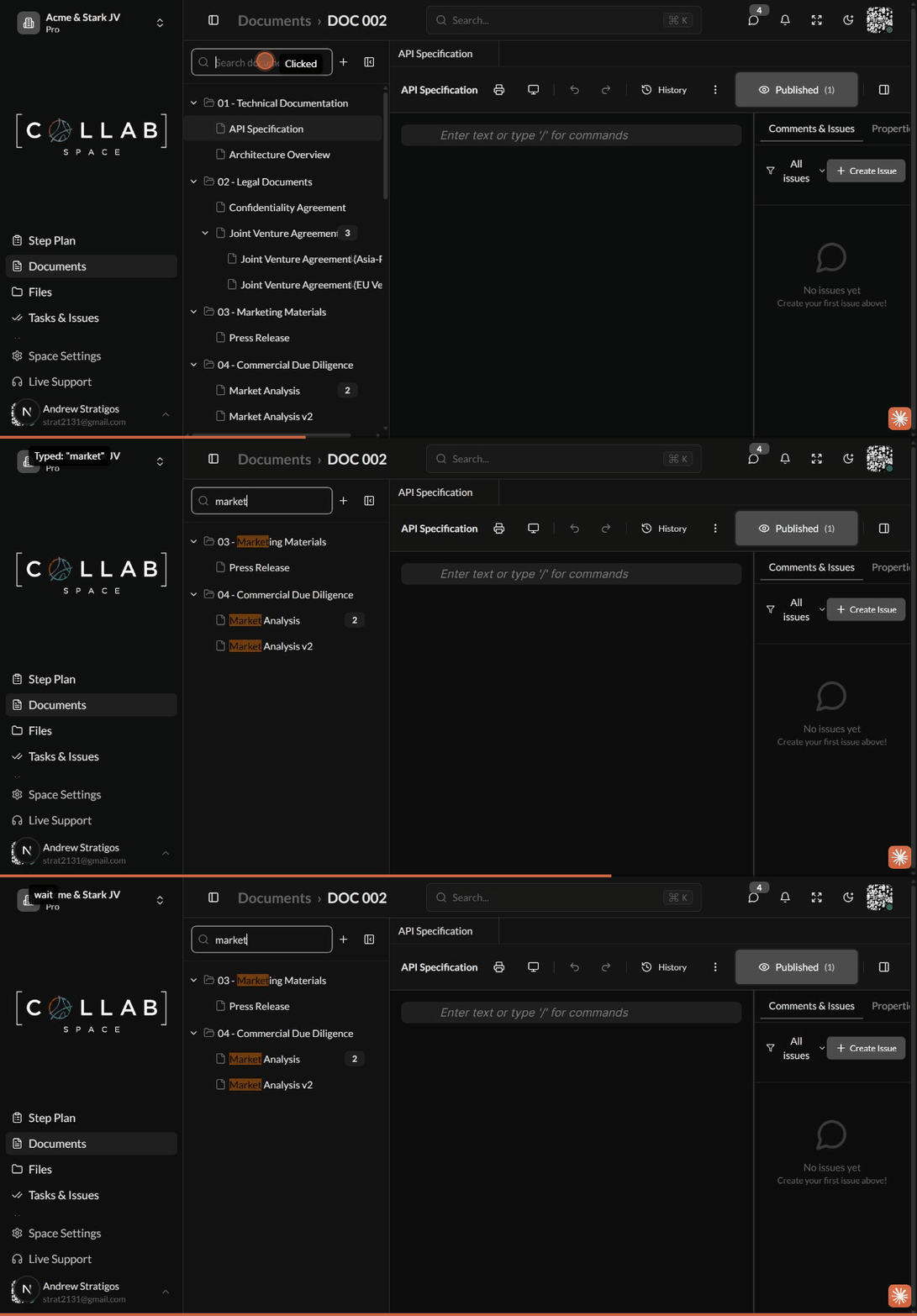
| Feature | Description |
|---|---|
| Real-time filtering | Results update as you type |
| Auto-expand folders | Parent folders expand to show matches |
| Match highlighting | Search terms highlighted in results |
| Clear button | Click X to clear search and show all |
Use the global command menu to find documents across your workspace:
Cmd/Ctrl + K to open the command menuSearch indexes document names for quick access.
Use the file tree search for quick name-based filtering:
Use global search to find documents containing specific text:
Cmd/Ctrl + K)While tag-based filtering is in development, you can:
Documents show their owner in the Properties tab. To find your documents:
| Action | Shortcut |
|---|---|
| Focus search | / or Ctrl+F |
| Clear search | Escape |
| Navigate results | Arrow keys |
| Open document | Enter |