


Previous
ShortcutsNext
Issues ListTrack, organize, and complete work with a flexible project management system.
The Tasks & Issues app helps teams manage all types of work items including tasks, risks, decisions, and assumptions. With powerful filtering, inline editing, and real-time collaboration, you can keep your projects on track and your team aligned.
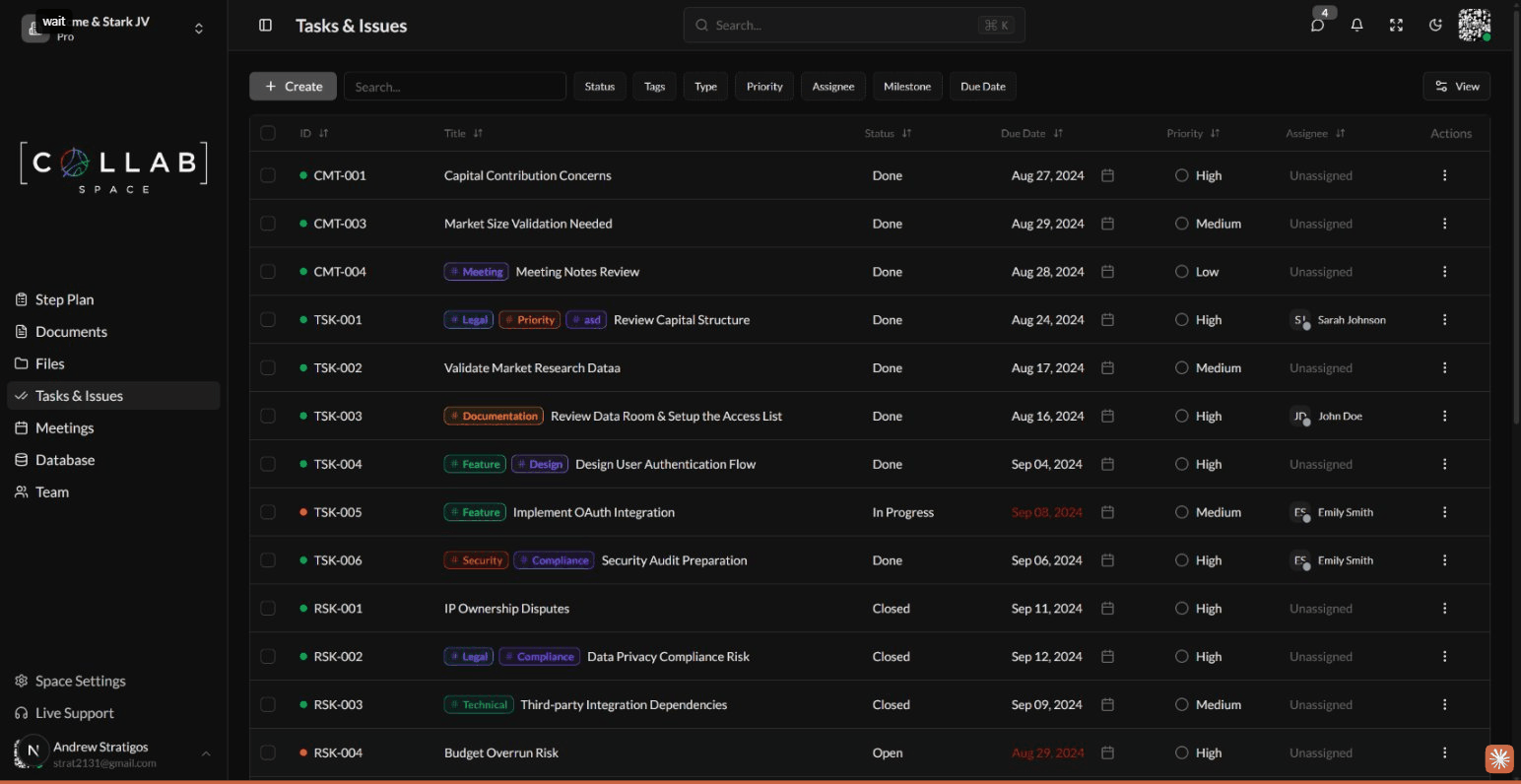
To access the Tasks & Issues app, navigate to Tasks & Issues in the sidebar or go to /apps/issues in your workspace.
The app supports multiple issue types, each with its own workflow and statuses:
| Type | Purpose | Example Statuses |
|---|---|---|
| Task | General work items and to-dos | Draft, Backlog, To Do, In Progress, Done, Canceled, Blocked |
| Risk | Potential problems to track and mitigate | Draft, Open, Mitigated, Closed |
| Decision | Choices that need to be documented | Draft, To Do, Done |
| Assumption | Project assumptions to validate | Draft, To Do, Done |
Each issue type has a unique ID prefix (TSK for tasks, RSK for risks, DEC for decisions, ASM for assumptions) making it easy to identify and reference items.
Additional issue types like Story, Bug, Epic, and Asset are available but disabled by default. Administrators can enable them in Space Settings.
Control who can view and edit your issues.
| Mode | Description |
|---|---|
| Private | Only owner and explicitly shared users |
| Published | Shared based on role permissions |
| Level | Capabilities |
|---|---|
| Viewer | Read issue details and comments |
| Editor | Edit fields, add comments, update status |
| Owner | Full control including sharing and deletion |